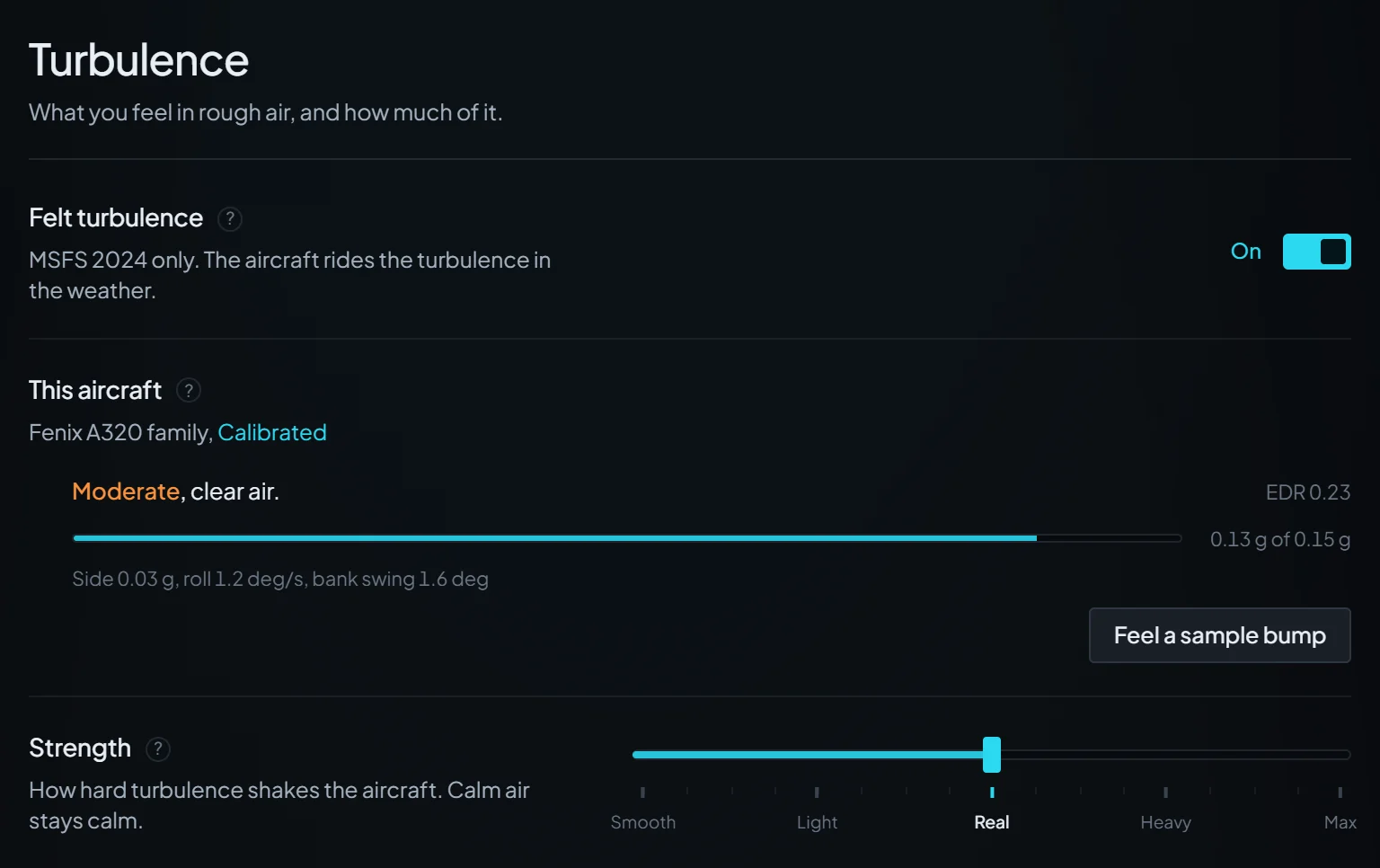
Strength
Real is calibrated. Try Light if it is too much, and Heavy or Max for more.
The StrataWx 1.5.0 beta rebuilt felt turbulence and gave it a full set of controls. Here is what each one does, and how to set them up for the ride you want.
Written for StrataWx 1.5.0-beta.2, October 31, 2026. These controls are on the beta channel now, and are planned for everyone with 1.5.0.
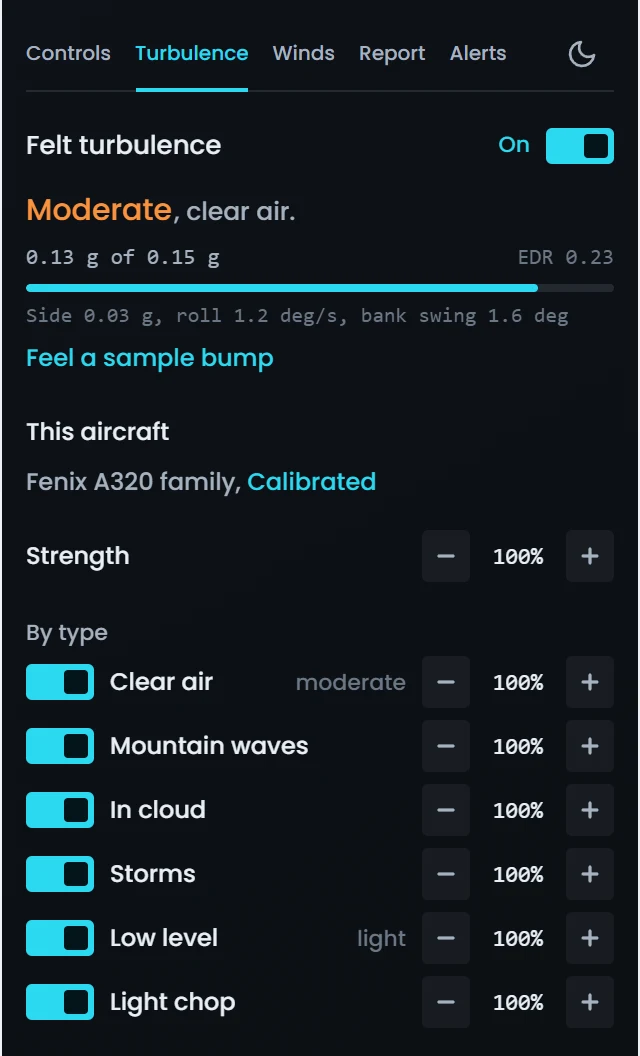
Most pilots only ever need three controls.
Real is calibrated. Try Light if it is too much, and Heavy or Max for more.
Off holds the ride under severe. On lets storms hit at full strength. In the PMDG 737 and 777 the switch is greyed out and the ride always stays under severe.
A short shake through the airframe after the hardest bumps. Turn its Strength down to Soft, or the switch off, if you would rather not feel it.
Strength multiplies the turbulence in the weather and adds none of its own, so calm air stays calm at every setting. To feel your settings in smooth air, press Feel a sample bump under the readout. Most settings are saved for the aircraft type you are flying when you change them, so a change in the PMDG 737 stays in the PMDG 737: see Settings follow the aircraft.
Starting points. A per-aircraft setting changes only the aircraft you are flying.
If This aircraft reads Custom or your usual settings, press Back to Calibrated. Then check the settings that cover every aircraft: Felt turbulence on, Shudder on hard hits on, Autopilot safe on with Bank swing at 4 deg and Load change at 0.60 g, and Severe storms off.
Strength at Light (50%), Character toward Swells for slower, smoother bumps, and the shudder's Strength at Soft (50%). Leave Severe storms off.
Severe storms on, Strength at Heavy (150%) or Max (200%) and the shudder at Strong or Max. On the autopilot, Autopilot safe holds even a severe ride inside Load change, which tops out at 1.00 g, so hand-fly or switch Autopilot safe off, at the risk of the autopilot letting go. The PMDG 737 and 777 stay held under severe.
Lower By motion > Side to side, for example to 50%. On the autopilot, a lower Bank swing also keeps StrataWx's share of the wing rocking tighter.
In Advanced, set Fade below for Low level and gusts to 1,000 ft (in the panel: Advanced, pick Low, then Fade below). It is then full above 1,000 ft over the ground, half at 750 ft and gone from 500 ft down. Do the same for other kinds to calm them too. StrataWx already tapers the whole ride below 150 ft.
Leave Autopilot safe on and lower Bank swing and Load change, so it eases off sooner. Still disconnecting? Try Strength at Light (50%), or switch Felt turbulence off to rule StrataWx out.
We recommend closing RealTurb and turning off its auto-start, as the app's "RealTurb is running." notice says. If another turbulence add-on is still running, StrataWx measures what it is already shaking and adds only what is missing. To feel only MSFS's own turbulence, switch Felt turbulence off.
Short answers to the snags you are most likely to hit.
Still stuck? Send your logs from Settings > Support in the app, then open a ticket from Support, or ask on the Discord.
Strength multiplies the turbulence in the weather and adds none of its own, so in calm clear air Max has nothing to multiply. Press Feel a sample bump, or fly into cloud or rough air.
If you set Max before the flight, while This aircraft read "No aircraft.", it went to your usual settings, which an aircraft reading Calibrated or Custom does not use. Set it again with the aircraft loaded.
Otherwise the readout's sentence says why, for example "Felt turbulence is off." or "MSFS is running an older turbulence module. Restart MSFS." On the autopilot, Autopilot safe can make Heavy and Max feel no stronger than Real, and the readout then says "Easing off for your autopilot limits."
Most turbulence settings are kept for each aircraft type, and This aircraft says what the type flies: Calibrated, Custom or your usual settings. A change made before the flight, while the row reads "No aircraft.", goes to your usual settings, which a type with settings of its own does not use. The Turbulence buttons on the panel's Controls tab also set Strength for this aircraft only.
You are in the PMDG 737 or 777, where StrataWx always holds turbulence under severe, and the row says so. Strength still scales the ride after the hold.
It is rare on purpose: at Real it takes a sharp hit, the kind moderate air or rougher brings, at least 500 ft above the ground. In-cloud bumps and light chop never set it off, and it stays quiet while something else, such as MSFS's own turbulence, carries most of the ride.
To feel one, press Feel a sample bump above 500 ft: with the shudder on, the bump ends with a ring. While Settings > Turbulence is open, the shudder row shows the last ring for a minute, as in "Last one 0.03 g at 5 Hz." Strong or Max rings more often. If the row says it needs the in-sim module from this update, restart MSFS.
Only if your aircraft reports its autopilot to MSFS, and some add-on autopilots may not. To check, fly with the autopilot engaged, Autopilot safe on and no other turbulence add-on running. The readout should say "Autopilot safe, 2.8 deg and 0.45 g to spare." (the figures vary) or "Easing off for your autopilot limits." If it says neither, StrataWx cannot see that autopilot, and Autopilot safe keeps only its hand-flying limit of 6 deg of bank swing.
In the PMDG 737 and 777 turbulence is already held under severe, so if the autopilot still lets go, take Strength down a stop.
Leave Autopilot safe on and lower Bank swing and Load change so it eases off sooner, or try Strength at Light. Switch Felt turbulence off to rule StrataWx out. If the readout never says "Autopilot safe, ... to spare." while the autopilot flies, see the question above.
Close RealTurb and turn off its auto-start with MSFS, as the app's "RealTurb is running." notice asks: two turbulence programs on one aircraft overlap. If it is still running, StrataWx measures what RealTurb is already shaking, adds only what is missing, and the readout says "Topping up RealTurb."
StrataWx does not open while Active Sky FS is running. Close Active Sky FS first, then open StrataWx.
Press Back to Calibrated on the This aircraft row in each aircraft that reads Custom: it resets one aircraft type at a time, reads Undo for 30 seconds, and shows only when there is something to put back. With no aircraft loaded, it resets your usual settings. In an aircraft flying your usual settings, it gives that type settings of its own, which your usual settings then stop reaching.
It never touches the settings for every aircraft. Their defaults are Felt turbulence on, Shudder on hard hits on, Autopilot safe on with Bank swing at 4 deg and Load change at 0.60 g, and Severe storms off.
That is right for this beta: StrataWx adds no roll yet. Wing rocking comes from your aircraft's own answer to sideways gusts, which Side to side scales, or from MSFS's own turbulence. The roll figure on the readout's small line counts every cause, so it is not zero.
MSFS loads the in-sim module only when it starts, so after an update it runs the old one until you restart it. Until then only Felt turbulence, Strength, the By type switches and Severe storms work, and Heavy and Max are held back in rough air as in 1.4. While the readout says the module is not loaded, StrataWx adds nothing.
Still there after a restart? Use Check for issues or Verify & repair in Settings > Simulator, or the Repair panel button on the app's "In-sim panel update pending." notice.
Your 1.4 Strength and kind switches came across as your usual settings, but 1.5 no longer holds rough air back: Heavy and Max carry their full weight, Max is twice Real inside the safety limits, and in the roughest air Real itself is up to 15% stronger. If it is too much, take Strength down a stop.
Not yet: felt turbulence is MSFS 2024 only for now, and the readout and the panel say so. A change you make on 2020 goes to your usual settings, which your MSFS 2024 aircraft without settings of their own also fly.
The panel talks to the StrataWx app, so the app has to be running, both to change settings and for felt turbulence itself: close the app and the ride stops within about 3 seconds. Use Minimize to tray to keep it out of the way. Close quits it.
Searching for turbulence shows only five of the rows. Clear the search with the x at the end of the search box, then click Turbulence in the Settings list to see all of them. To find one control, search for its own name, such as shudder, character or autopilot.
Pick the air, then move the two sliders.
Light air at 100%: the calibrated height.
Most turbulence settings are kept for each aircraft type, so every aircraft you fly can ride its own way. All the liveries of a type share them.
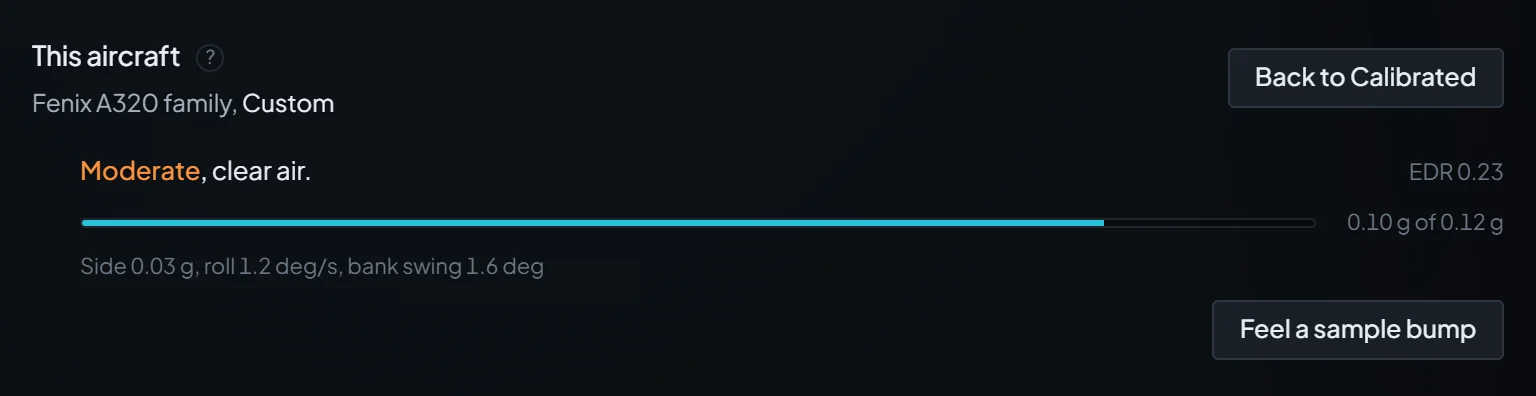
The row names the aircraft type your settings are saved for, then what it flies. Calibrated means the type has settings of its own, all at the shipped defaults. Custom means at least one of them is yours. And your usual settings means it has none of its own yet.
It gives that type its own copy of what it was flying, plus your change, and the app says "Saved for the PMDG 737 only.", naming your aircraft. In the panel the row simply turns to Custom. Nothing you feel jumps. From then on, your usual settings no longer reach that type.
Every aircraft without settings of its own flies these. To change them, make your changes with no flight loaded, while This aircraft reads "No aircraft. Changes go to your usual settings." Changes made in an aircraft StrataWx does not recognise go there too.
Puts the type you are flying back to the shipped defaults: Strength at Real, every kind of air on at 100%, every direction at 100%, Character at Middle, every Advanced cell at Same with no fade, and the shudder's Strength at Real. The settings for every aircraft stay as they are. For 30 seconds the button reads Undo, which works once.
It shows only while there is something to put back, and resets one type at a time. With no aircraft loaded, or in one StrataWx does not recognise, it resets your usual settings instead. In an aircraft flying your usual settings, it gives that type settings of its own at the defaults, which your usual settings then stop reaching, and only Undo turns that back.
For up to 5 seconds after a flight loads or you switch aircraft, the row reads "Reading the aircraft." A per-aircraft change or Back to Calibrated made then is not saved: the app says "Your aircraft changed. Nothing was saved." and in the panel This aircraft shakes. Do it again once the name shows. Settings for every aircraft, such as Severe storms, save as usual.
The PMDG 737, the PMDG 777, the TFDi MD-11 and the Fenix A320 family. Every PMDG 737 variant shares one set, as does every PMDG 777, and the Fenix A319, A320 and A321 share one. In the two PMDGs turbulence is always held under severe, and StrataWx adds only what their own built-in turbulence leaves missing. The MD-11 and the Fenix ride like any other aircraft.
Other MSFS 2024 aircraft keep settings of their own too, under a name made from what the sim reports, such as Cessna C172. An aircraft the sim cannot name reads "Not recognised yet. Changes go to your usual settings." and flies your usual settings. On MSFS 2020 every aircraft reads that.
In the order Settings > Turbulence lists them. The panel's Turbulence tab has the same controls, with Character and the autopilot limits under Advanced.

The master switch. On, your aircraft rides the turbulence in the weather, through its own flight model. Off eases StrataWx's ride out over 2 seconds and then adds nothing, while the readout keeps showing the real air. If the autopilot struggles or the aircraft feels wrong in rough air, switch it off to rule StrataWx out.
StrataWx adds nothing in gliders, helicopters, balloons or airships, which it knows by what MSFS reports and, for a glider, by its long, narrow wing. In those, MSFS's own turbulence and thermals carry on.
After the name comes what it flies: Calibrated, Custom or your usual settings. Back to Calibrated sits on this row, with the live readout and Feel a sample bump under it. Settings follow the aircraft and Reading the readout explain both.

How hard turbulence shakes the aircraft. Real is calibrated: StrataWx measures the up and down ride at the seat and evens it out across aircraft. Heavy is 1.5 times Real and Max is twice Real, inside the safety limits, and Smooth adds nothing in this aircraft type.
It multiplies the turbulence in the weather and adds none of its own, so calm air stays calm. A change eases in over a few seconds. The Turbulence buttons on the panel's Controls tab set this same Strength. At any setting StrataWx also eases off within 15 kt of the barber pole and close to the stall, and stops in a bank past 35 deg on the autopilot or 50 deg hand-flown.
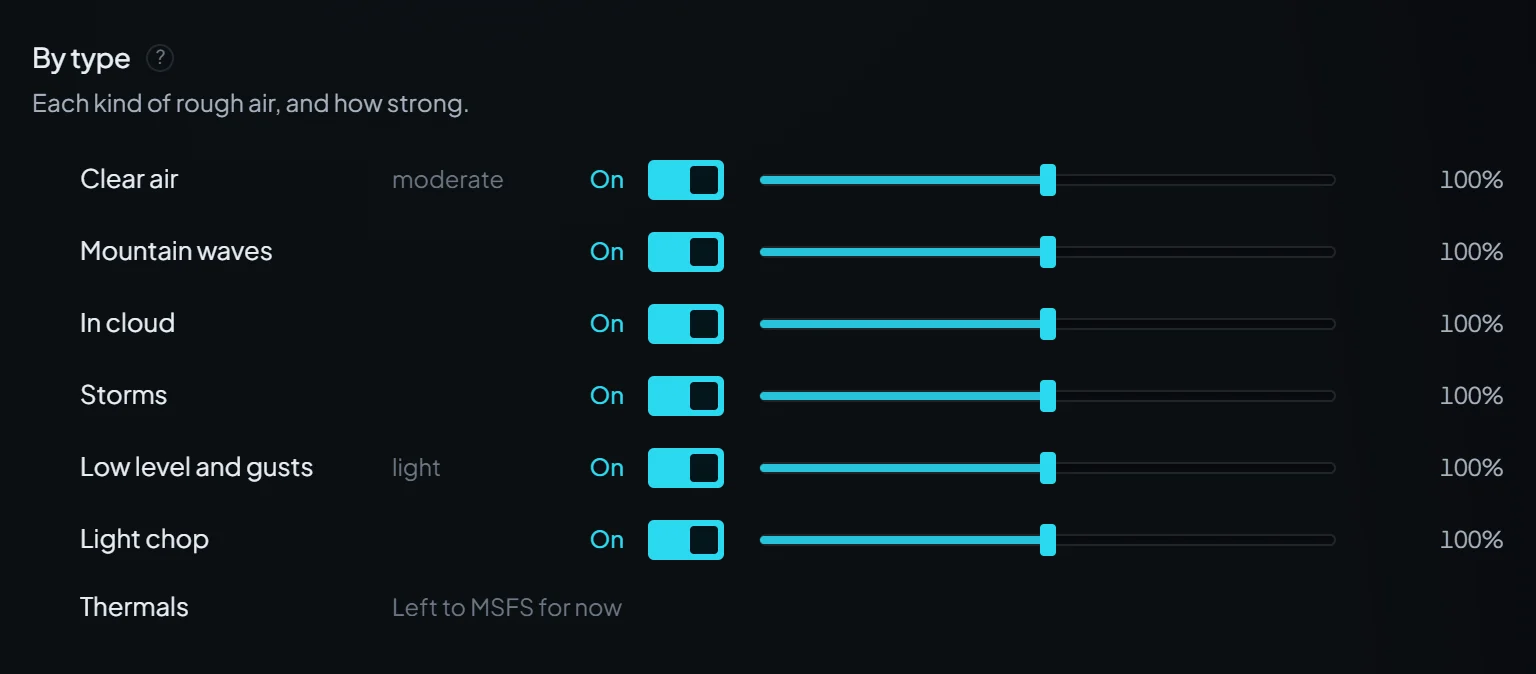
The word beside each kind is the real air in it right now, before your settings. Off takes that kind out over about 2 seconds and keeps its strength for when it is back on.
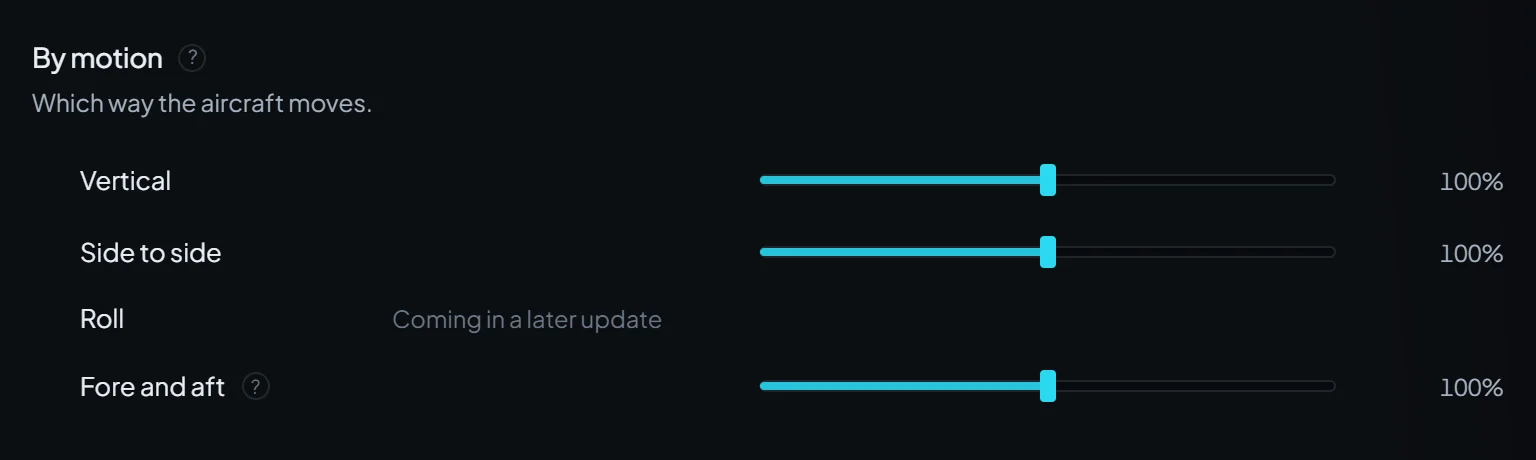
Only Vertical is evened out across aircraft in this beta. Side to side and Fore and aft run at a fixed strength, so the same setting can feel different from one aircraft to the next.
By type and By motion multiply, and one kind in one direction stops at 200% before Strength: Storms at 200% with Vertical at 200% rides as 200%, not 400%.

Long swells or short chop, at the same strength. Toward Swells each bump is longer, so they come less often and feel slower and smoother. Toward Chop they come quicker and sharper, with a quick texture on top.
Storm drafts and hits, surface gusts, light chop and the quick bumps inside cloud keep their own timing. Middle is the ride as it ships.
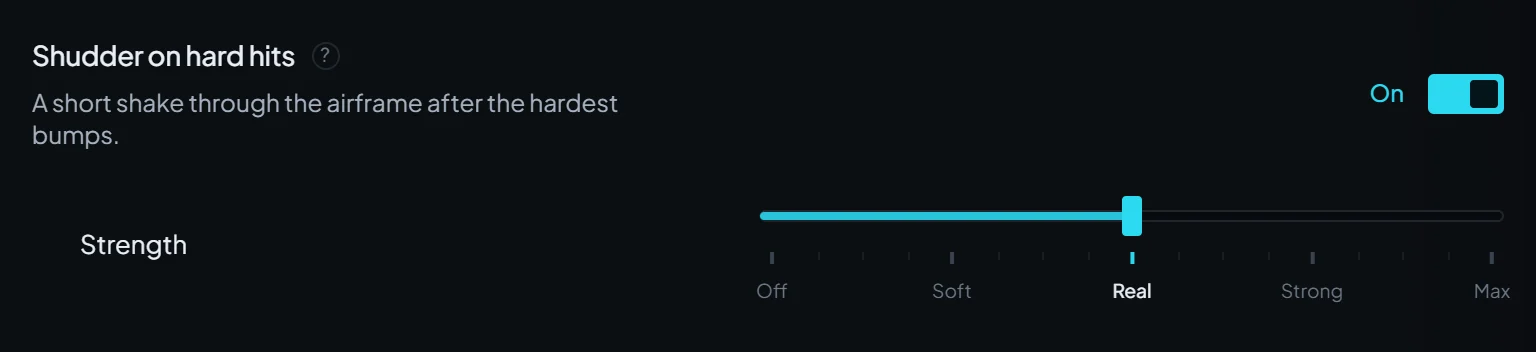
A short up and down shake through the airframe right after a hard hit, 4 to 6 shakes a second that die away over a second or so. Bigger aircraft ring slower and softer, small ones quicker and firmer. At Real it takes a sharp hit, the kind moderate air or rougher brings. It never starts below 500 ft or near a stall, comes a few times a minute at most, and in-cloud bumps and light chop never set it off.
Soft rings smaller and far more rarely, and Max puts every ring at the most the safety limits allow. With the shudder's Strength or the ride's Strength above Real, a sharp hit in lighter air can ring now and then. Set an aircraft's Strength to Off to drop the shudder in that aircraft only. In the panel, the shudder's Strength is the value on its row.
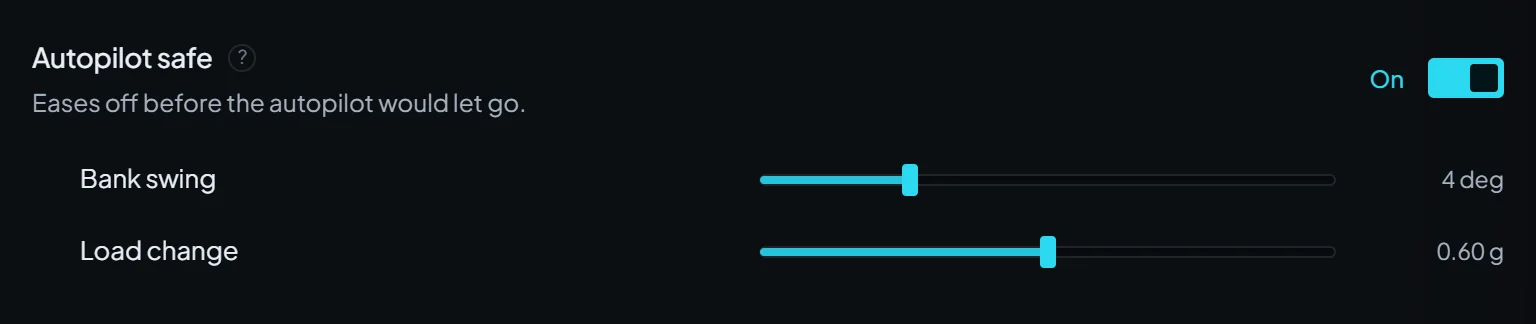
Eases off before the autopilot would let go. While the autopilot flies, StrataWx keeps the bank swing and the load change it adds inside two limits, easing off as it nears them, and the readout says when it does. Both limits cover every aircraft too: Bank swing, 2 to 10 deg (4 deg by default), and Load change, 0.20 to 1.00 g (0.60 g by default).
A lower limit eases off sooner, and a higher one leaves more of the ride on the autopilot. It knows the autopilot is flying only when your aircraft reports it to MSFS, which some add-on autopilots may not do (Questions has a check). When you hand-fly with it on, StrataWx keeps the bank swing it causes inside a fixed 6 deg.

Off holds all turbulence, storms included, under severe for your aircraft's weight, with tighter limits on how hard a hit can land. On lets storms hit at full strength. Severe turbulence means large, abrupt changes in altitude and attitude, and the aircraft may be momentarily out of control, so leave it off unless you want that.
Strength scales the ride after the hold, so at Heavy or Max the readout can say Severe, or even Extreme, with this off. In the PMDG 737 and 777 the switch is greyed out and the row says why, naming your aircraft, as in "Held under severe in the PMDG 737."
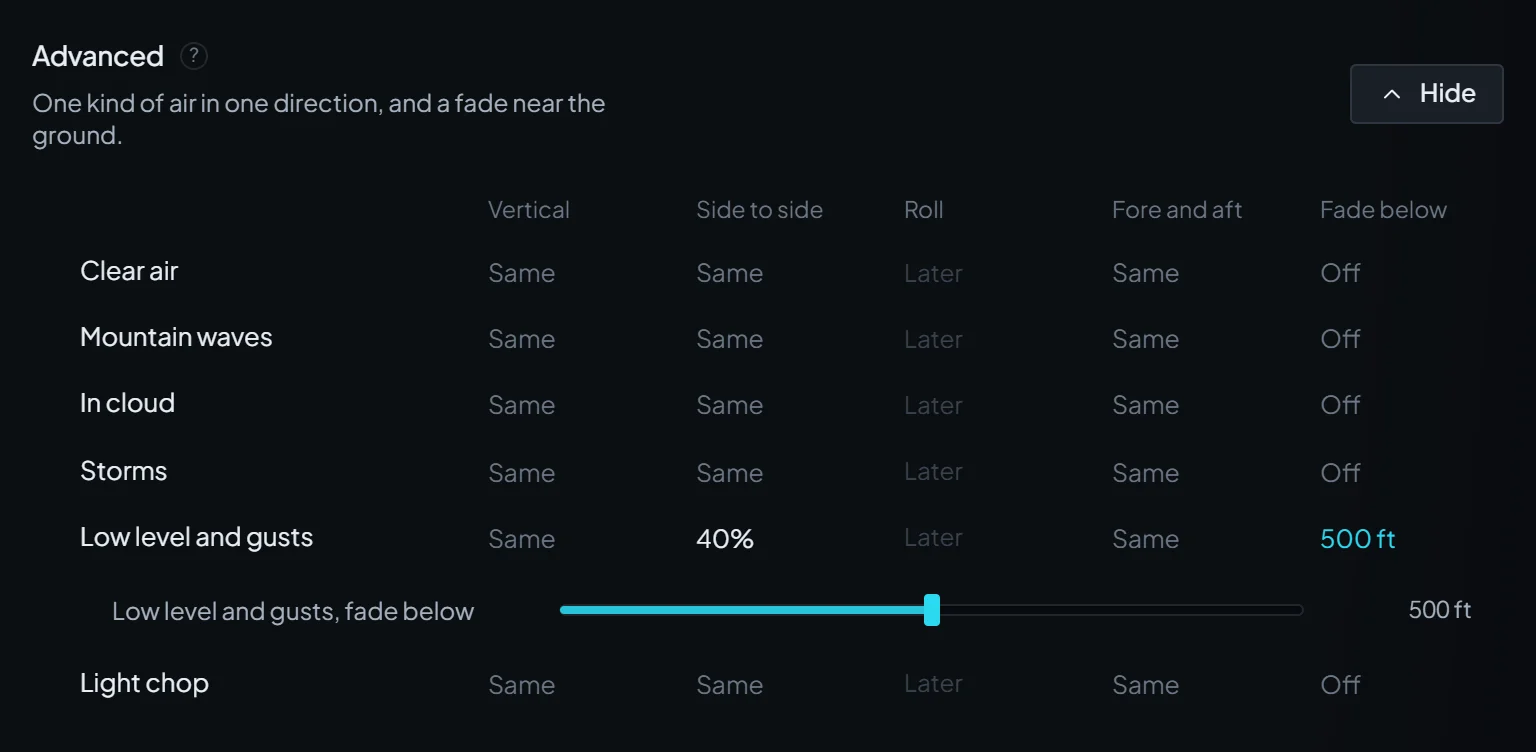
A grid of the six kinds against Vertical, Side to side, Roll (which reads Later), Fore and aft and Fade below. A cell reads Same while it follows By motion. Set one and it replaces By motion for that one kind in that one direction, and Same as By motion puts it back. Light chop only moves the aircraft up and down, so its Side to side and Fore and aft cells do nothing.
Fade below takes one kind out near the ground, from Off up to 1,000 ft in 50 ft steps. That kind is at full strength at the height you set and above, and gone at half of it: set 400 ft and it is full above 400 ft, half at 300 ft and gone from 200 ft down. The height is above the ground right under you, not the runway.
The panel shows one kind at a time: pick Clear, Waves, Cloud, Storms, Low or Chop under One kind of air.
Sends one smooth bump through the aircraft, about 0.15 g at the seat at Real, lasting 1.5 seconds, so you can feel your settings without waiting for rough air. It follows Strength and By motion > Vertical, not the weather, so it feels the same in calm air. One every 5 seconds.
With Shudder on hard hits on and its Strength above Off, a bump flown above 500 ft ends with a ring too, so switch the shudder off to feel the bump alone. The button shows only while you fly at 1x, with Felt turbulence and Inject on, Strength above Smooth and the new in-sim module loaded.
It sits under This aircraft in Settings > Turbulence, on the Main page in the card headed "Turbulence for your" and your aircraft, and in the panel's Turbulence tab. It shows the real air beside what you feel.
